
Why an On-Device FPGA 3D Driver Matters
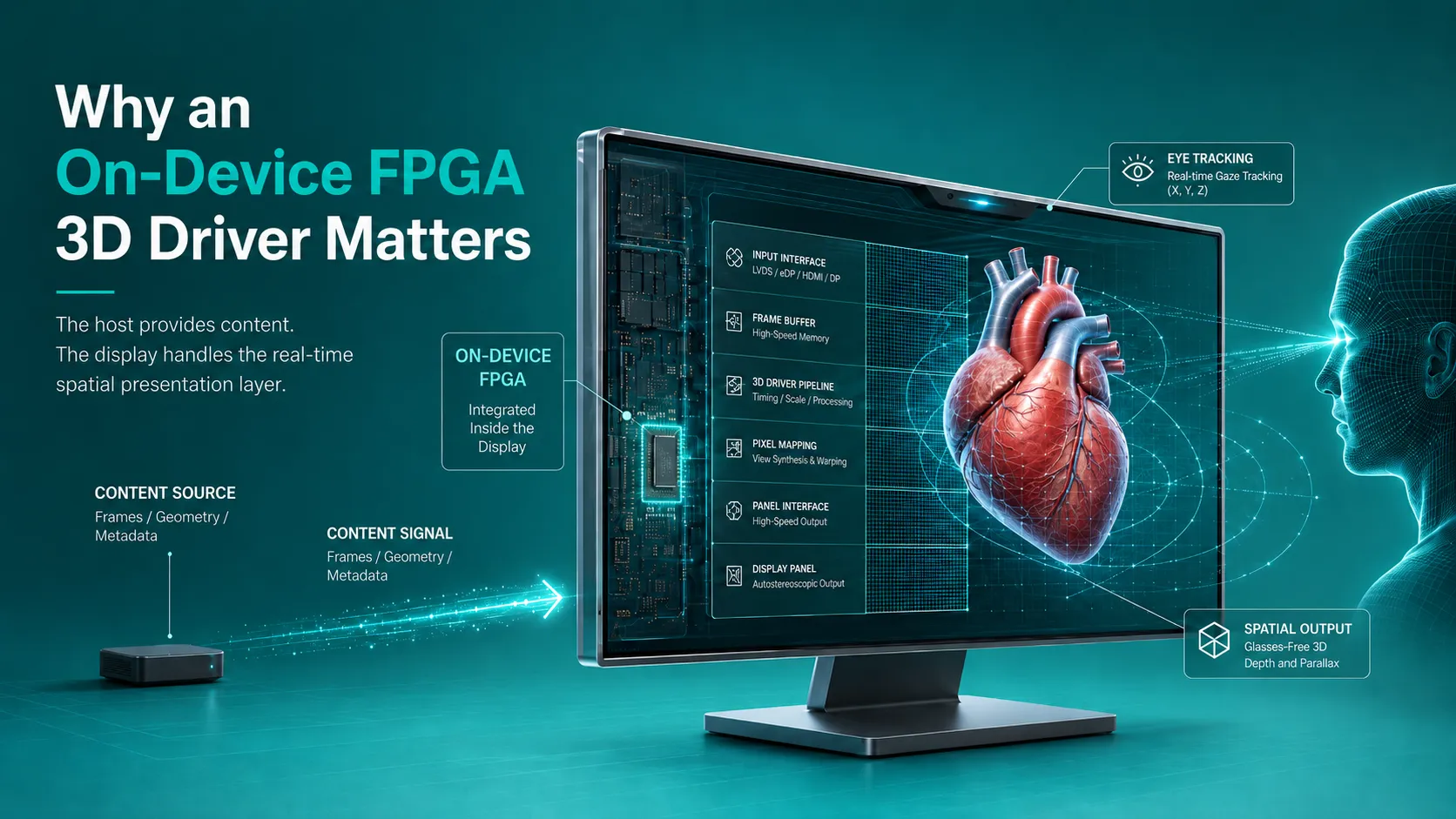
An on-device FPGA 3D driver matters because glasses-free 3D is timing-sensitive. The display must react to viewer position, map left-eye and right-eye image information to the optical layer, and keep the result stable as the viewer moves.
In a host-dependent system, the connected computer may need to handle view generation, tracking response, pixel mapping, and display control. In the 3DV Spatial Display architecture, the most timing-sensitive mapping work is handled on the device through an FPGA hardware pipeline. The host provides compatible content. The display handles the spatial presentation layer.
That design choice can reduce host workload, simplify multi-display deployment, and improve the reliability of professional review setups. It should still be validated with each team’s real content and source device.
The Practical Problem: Host Computers Have Other Jobs
A workstation may already be running CAD, medical visualization, simulation, 3D playback, inspection software, or a rendering engine. If the same host also has to carry the display’s real-time glasses-free 3D mapping, the application and display pipeline compete for resources.
With display-side FPGA processing, the monitor takes over repetitive coordinate mapping and pixel allocation. The host can focus on the source content.
This does not make the host irrelevant. Heavy rendering and large datasets still need capable computers. The difference is that the display’s own spatial mapping task is no longer added as a separate host-side burden.
Example Workload Shift
In 3DV representative validation scenes using 4K SBS 3D content, the workload shift was visible:
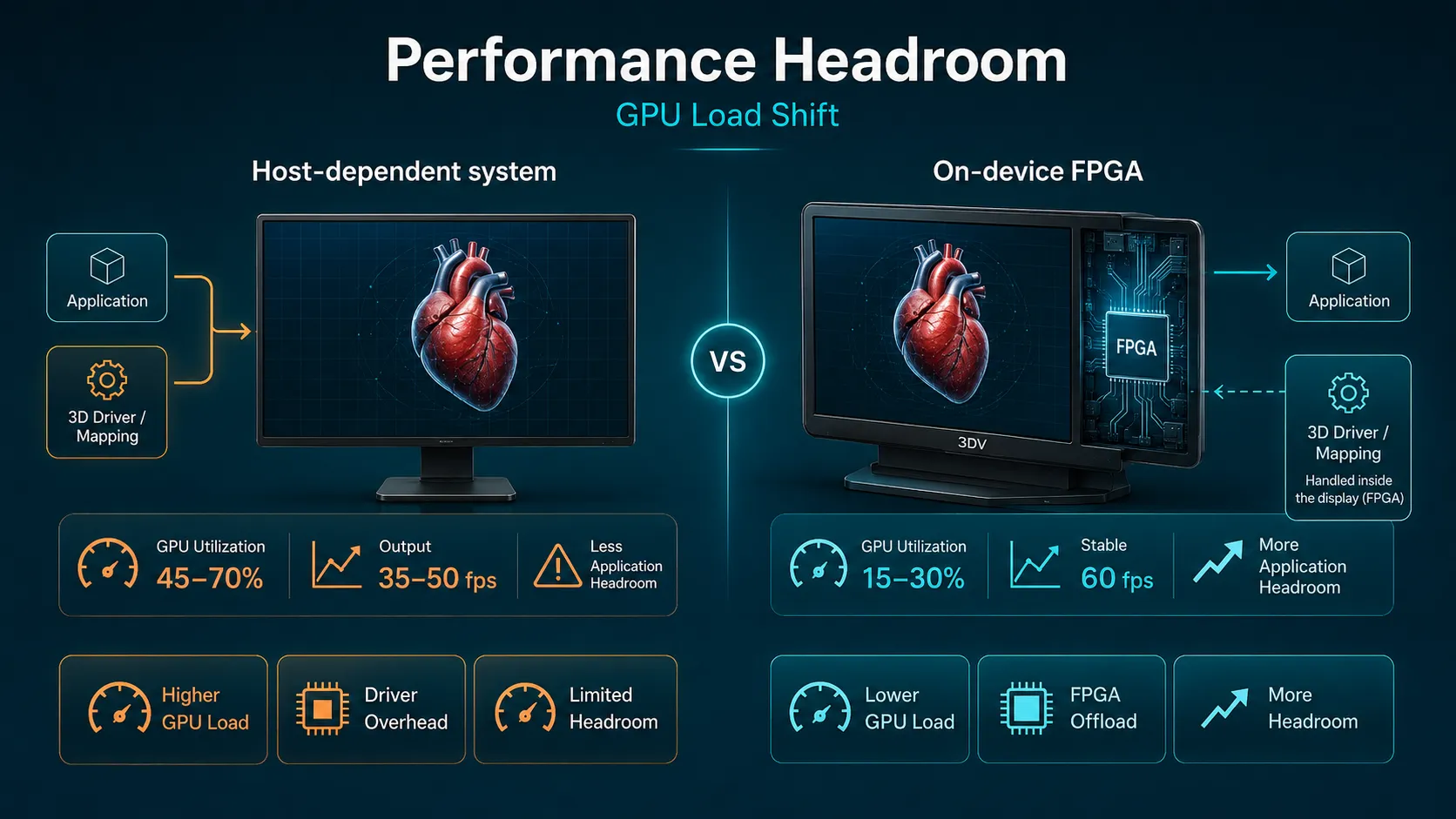
| Scenario | Host-dependent 3D mapping prototype | 3DV on-device FPGA pipeline |
|---|---|---|
| 4K SBS 3D playback on the same mid-range Windows PC | About 35-50 fps when mapping and tracking response run on the host | Stable 60 fps output in the same content path |
| GPU utilization during 3D playback | Often 45-70%, depending on scene complexity | Typically 15-30% because the display handles timing-critical mapping |
| Application headroom | Less room for CAD, volume rendering, or interactive UI | More host budget remains available for the source application |
These figures are examples from representative validation scenes, not universal performance guarantees. Content, drivers, operating system state, and host hardware still matter.
Deployment Becomes Easier to Plan
The benefit becomes clearer when a team deploys more than one display. A host-heavy architecture may require a GPU-equipped workstation for each screen. That can add cost, power, heat, noise, and cabinet space.
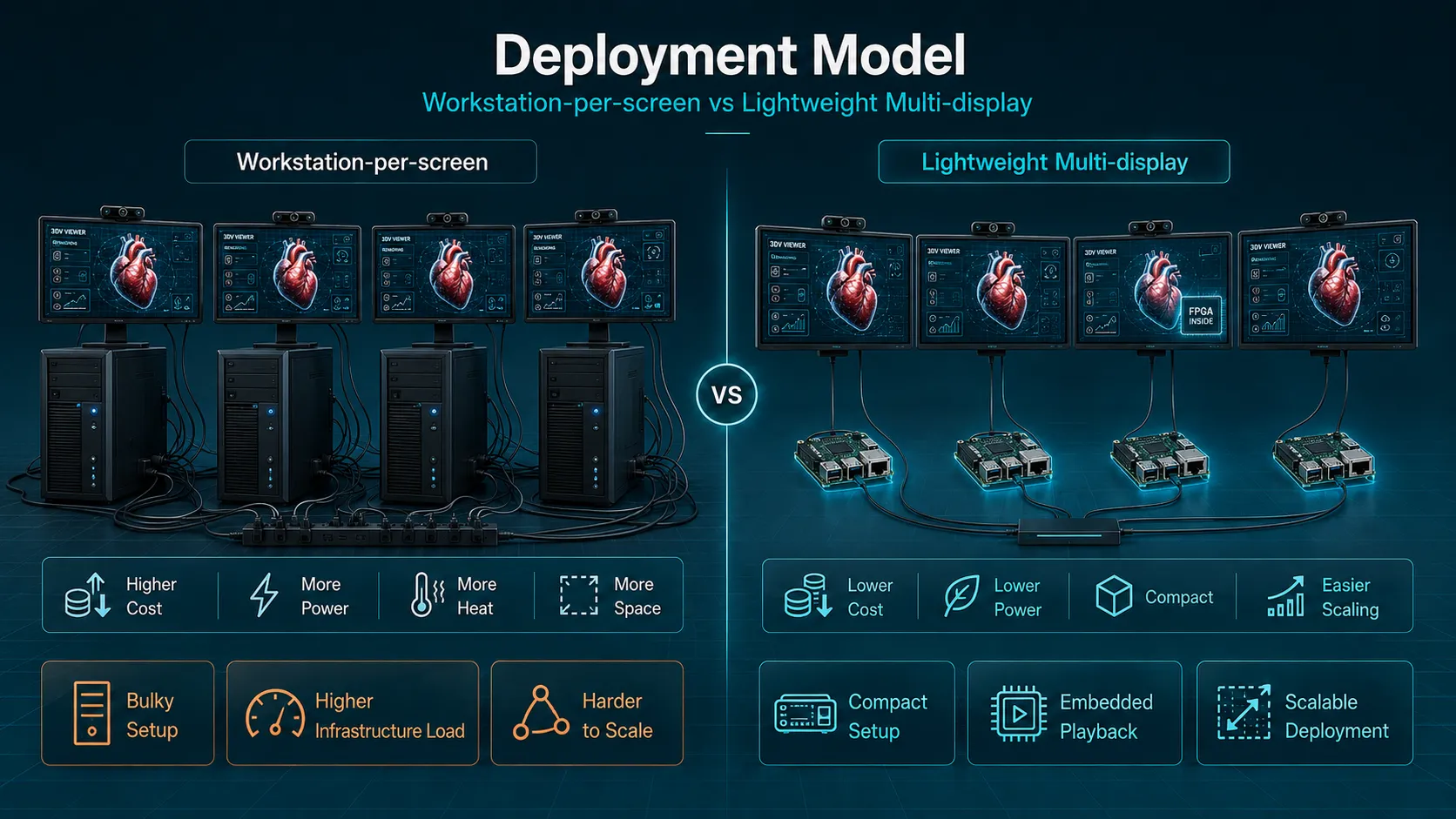
Because the 3DV display handles core mapping internally, many playback and presentation scenarios can run from compact hosts instead of full workstations. That is useful for showrooms, museums, classrooms, control rooms, and long-running demos.
It does not mean every workflow can use a small media player. Heavy live rendering, simulation, or large medical datasets may still require a workstation. The point is that the display itself does not force that requirement onto every installation.
Latency Is Felt by the Viewer
Eye tracking is useful only if the display can respond quickly. If viewer position is sensed but mapping happens late, the image may feel slightly behind the head movement. Users experience that as instability, not as a pipeline diagram.
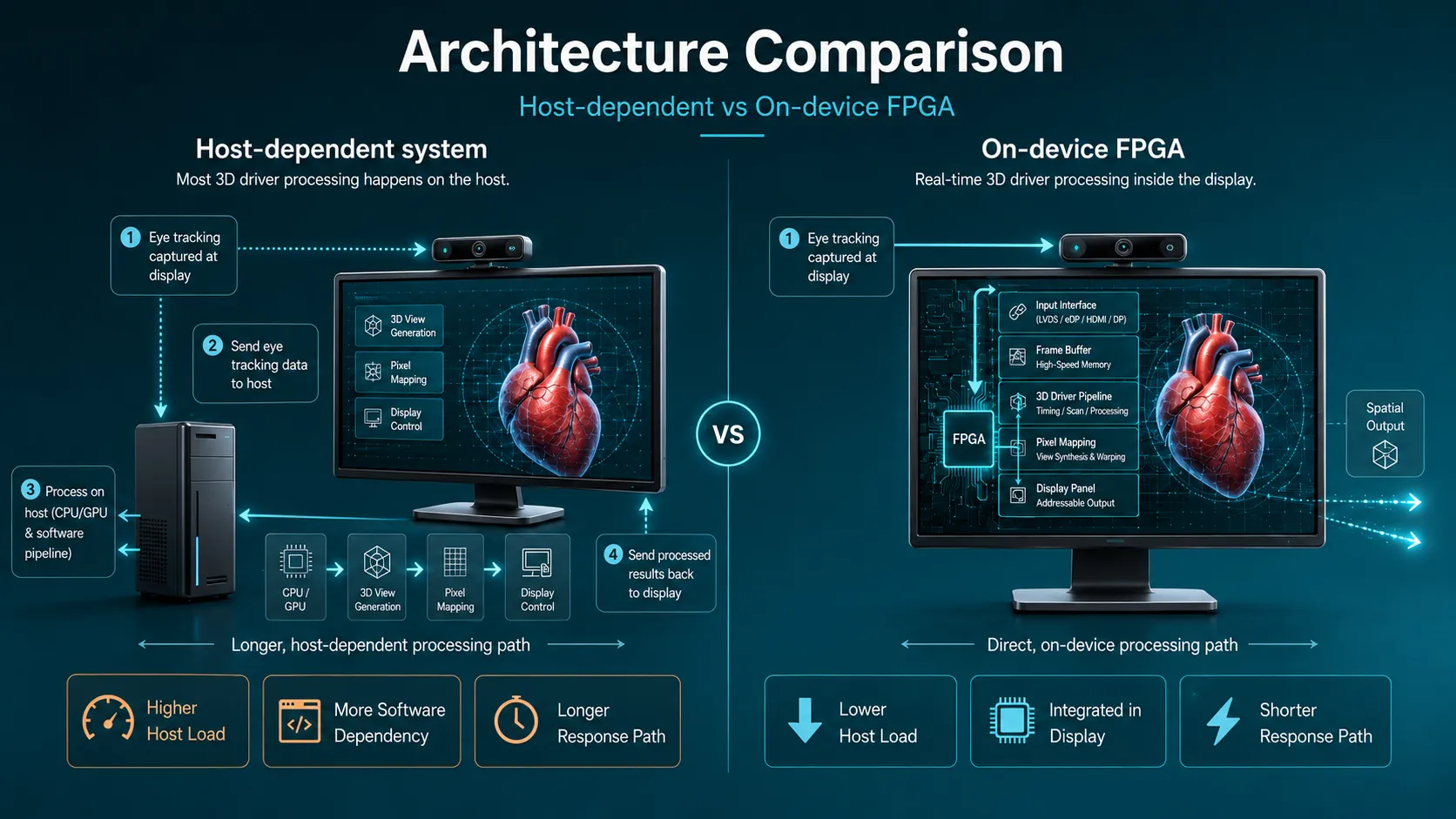
3DV Spatial Display products use structured-light eye tracking at 180 Hz. That means eye position can be sampled roughly every 5.6 ms. The on-device FPGA pipeline keeps coordinate mapping and pixel allocation close to the display output instead of routing the most sensitive work through the host GPU.
This architecture supports smoother viewing during small head movements, but it should still be evaluated with real room lighting, content, and session length.
Clean System Boundaries Help Support
Professional deployments are easier to support when responsibilities are clear:
- The host runs the application or playback source.
- The host outputs compatible content.
- The display handles eye-position response, coordinate mapping, pixel allocation, and optical output timing.
That boundary can reduce dependence on one graphics driver, workstation configuration, or software runtime. It also helps mixed environments, such as Mac design stations, Windows review PCs, embedded playback, and showroom controllers.
Data Notes
- 3DV Spatial Display specifications include 3840 x 2160 resolution, FPGA real-time rendering, structured-light 180 Hz eye tracking, and display power consumption at no more than 48 W.
- NVIDIA references list the RTX 4000 SFF Ada Generation at 70 W maximum board power and the RTX 6000 Ada Generation at 300 W maximum power.
- Intel lists the Processor N100 at 6 W TDP.
- Varjo’s latency guide summarizes motion-to-photon latency as a comfort factor in virtual and mixed reality systems. A glasses-free 3D display is not a headset, but timing mismatch is still relevant to visual comfort.
Next Reading
For the core architecture, read FPGA-Driven 3D Rendering Pipeline. For cross-platform implications, read Can You Use a Glasses-Free 3D Monitor with a Mac?. For deployment planning, continue to Glasses-Free 3D Display Deployment Guide.