Back to Spatial 3D

technology-explainer

Which 3D Does Not Require Glasses: Technical Explainer

A technical explainer on glasses-free 3D display technologies, how autostereoscopic monitors deliver depth without headsets, and how to evaluate workflow fit.

By 3DV Editorial Team Published 2026-07-11 Updated 2026-07-11 1 min read

3DV Editorial Team writes practical guidance for glasses-free 3D display evaluation, content preparation, and professional deployment workflows.

Which 3D Does Not Require Glasses: Technical Explainer

Glasses-free 3D, autostereoscopic 3D, naked-eye 3D, and spatial 3D displays all refer to the same family of monitor-based technologies that deliver stereoscopic depth without headsets or 3D glasses. If you are asking which 3D does not require glasses, the short answer is: any display built on autostereoscopic architecture, where the screen itself shapes left-eye and right-eye views directly, rather than relying on passive polarized glasses or active shutter eyewear.

For professional buyers evaluating review, visualization, and training workflows, glasses-free 3D matters because it preserves a monitor-style experience. Viewers keep normal posture, share the screen with colleagues, and avoid the isolation, hygiene concerns, and fatigue that come with head-mounted displays.

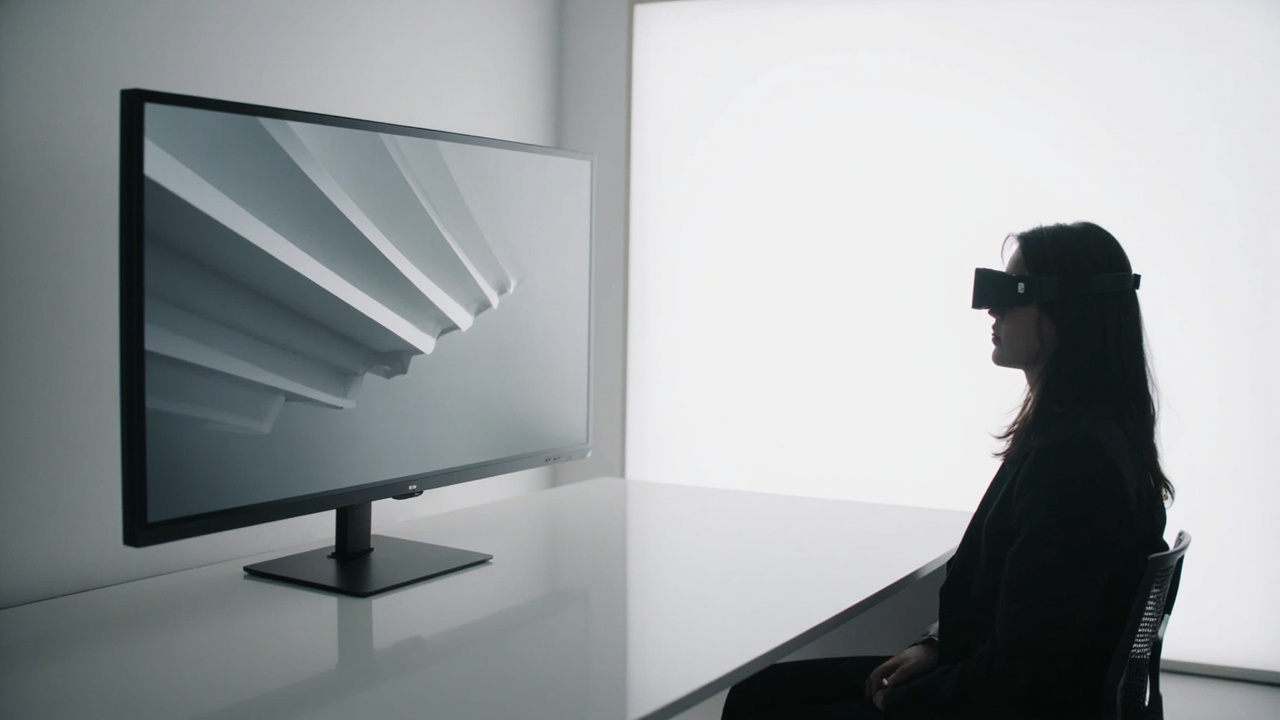
Glasses-free 3D monitor on a desk with a viewer experiencing depth without eyewear

Glasses-free 3D displays deliver stereoscopic depth through the panel itself, removing the need for glasses or headsets.

What “glasses-free 3D” actually means

Glasses-free 3D is a category of display engineering, not a single product type. It describes any display that encodes multiple viewpoint images into the light leaving the screen and steers those images to the correct eye using optical elements in front of the panel.

Two ideas sit behind the term:

  • Stereoscopic depth: each eye receives a slightly different perspective, and the brain fuses them into a depth cue.
  • Autostereoscopic delivery: the display, not eyewear, performs the separation. No glasses, headsets, or headgear are required.

Autostereoscopic terminology is covered in depth in the Autostereoscopy glossary. The practical consequence is that a glasses-free 3D monitor behaves like a normal display at the desk: you sit in front of it, you see depth, and you can step away without removing equipment.

Core glasses-free 3D technologies compared

Several optical approaches fall under the glasses-free 3D umbrella. Each uses a different mechanism to direct separate views to the left and right eye.

Parallax barrier

A precision barrier in front of the LCD blocks light so that interleaved columns of pixels become visible only to one eye at a time. The Parallax barrier display workflow fit article covers the approach in detail.

  • Trade-off: simple and cost-effective, but reduces effective 2D brightness and resolution because each eye sees only a subset of the panel pixels.

Lenticular lens (microlens array)

A sheet of tiny cylindrical or lenticular lenses refracts light so that different viewpoint images emerge at different angles. This is the dominant approach in modern autostereoscopic monitors.

  • Trade-off: brighter than parallax barrier, scales to larger panels, and supports multi-view rendering for wider viewing zones.

Eye-tracked autostereoscopic displays

A camera-based eye tracker follows the viewer’s position and dynamically adjusts the stereo view mapping so the optimal left-eye and right-eye image follows the user.

  • Trade-off: requires structured-light eye tracking, display-side FPGA processing, and a defined viewing zone, but delivers the strongest per-viewer image quality.

Light-field displays

Light-field displays reproduce rays with directional information, supporting true multi-view and look-around depth. They are the most advanced and most specialized glasses-free 3D technology.

  • Trade-off: higher cost, lower panel resolution per view, and narrower workflow adoption outside research and high-end visualization.

If you are also weighing a naked-eye 3D buyer decision primer, the practical takeaway is that lenticular and eye-tracked autostereoscopic monitors dominate the professional buyer-guide category today.

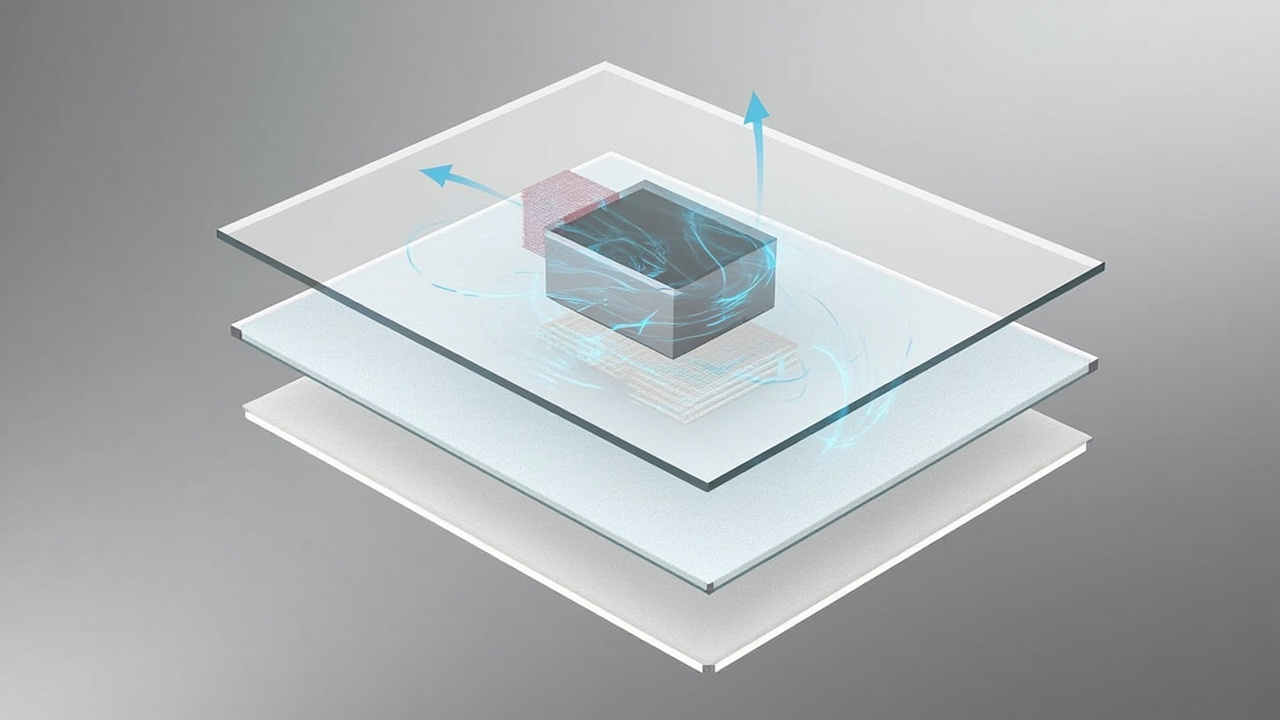
Diagram of an autostereoscopic display layering microlens optics, eye tracking, and stereo content over a 4K panel

Eye-tracked autostereoscopic displays combine a microlens optical layer, structured-light eye tracking, and FPGA-driven stereo view mapping.

How eye-tracked autostereoscopic displays work

The architecture used in current 3DV Spatial Display systems combines several layers:

  1. 4K-class LCD panel providing the pixel density needed to interleave multiple viewpoints without losing sharpness per eye.
  2. Microlens or lenticular optical layer bonded in front of the panel to refract light into directional views.
  3. Structured-light eye tracking that locates the viewer’s pupils in real time.
  4. Display-side FPGA processing that performs dynamic stereo view mapping and switches the left-eye and right-eye image content based on the tracked position.
  5. Stereo content input from SBS, CAD viewers, DICOM stacks, stereo cameras, WebGL, Unity, Unreal, or custom 3D applications.

The result is a monitor-style workflow: the viewer sits in the recommended zone, the display follows their eye position, and depth appears without any wearable hardware. This is the engineering path that distinguishes professional autostereoscopic displays from passive 3D attempts and from consumer VR headsets.

Where glasses-free 3D fits a professional workflow

Glasses-free 3D is not a substitute for every visual tool. It is best evaluated against specific workflow scenarios where shared viewing, depth clarity, and a monitor posture matter.

Workflow fits covered in the Spatial Display content compatibility guide include:

  • Medical visualization and anatomy education: reviewing 3D-rendered anatomy, surgical case material, and training assets in a shared review setting.
  • Industrial inspection and NDT: examining CT, X-ray, and 3D scan data for defect review and quality decisions.
  • CAD and design review: presenting product, architectural, and engineering models with real depth during internal review and client conversations.
  • Spatial Microscope workflows: shared observation and teaching contexts served by the Spatial Microscope product page.
  • Showroom, demo, and training spaces: prepared 3D content presented without forcing visitors to wear hardware.

These scenarios share three traits: source content is stereo-ready, depth adds decision value, and multiple viewers benefit from the same screen at the same time.

Content and software requirements

A glasses-free 3D display only delivers depth if the source content is stereo or 3D-ready. The Compatibility Path Checker and ask-before-ordering routes help teams confirm fit before deployment.

Content that works well:

  • SBS side-by-side stereo video and image sequences
  • CAD and 3D model viewers with stereo output
  • DICOM and medical 3D exports
  • Stereo-ready industrial CT and NDT data
  • Unity, Unreal, WebGL, or custom 3D applications with stereo camera output

Content that usually needs preparation:

  • Ordinary 2D video and flat images
  • Software that outputs only a single 2D view
  • 3D applications without stereo camera or SBS support

For workflows that frequently move between 2D review and 3D review, the Pro series is designed around 2D / 3D workflow switching; Essential models are better suited to displays dedicated to 3D spatial work.

Limits and trade-offs to evaluate

Honest buyer-guide framing requires listing the trade-offs:

  • Viewing zone: glasses-free 3D performs best within a defined viewing cone. Eye tracking expands that zone, but it is still not “walk anywhere” depth.
  • Per-eye resolution: because multiple views are interleaved across the panel, the resolution delivered to each eye is typically lower than the panel’s raw 2D resolution.
  • Single primary viewer: current 3DV Spatial Display positioning optimizes for one tracked viewer at a time. Multi-viewer setups remain an emerging area rather than a standard feature.
  • Touch assumption: current Spatial Display models are non-touch. Do not plan for touch interaction on a Spatial Display unless a future source explicitly confirms it.
  • Content dependency: a stereo-ready pipeline is required for the full benefit. Flat 2D content will not gain depth just because the panel supports it.

Choosing the right 3D approach for your use case

A fit-for-use framing helps narrow the decision:

NeedGlasses-free 3D fitNotes
Shared review and teaching with depthStrongMonitor posture, no headset per viewer
Single-user immersive training at scaleLimitedVR headsets remain better suited for full immersion
Mobile or walk-around viewingLimitedFixed viewing zone and desk footprint
Stereo-ready 3D data reviewStrongSBS, CAD, DICOM, CT, and 3D pipelines
Passive 2D-only content reviewModeratePro models support 2D / 3D switching; Essential models focus on dedicated 3D
Public-facing showroom and demoStrongVisitors experience depth without wearables

If depth matters to the decision and the source content is stereo-ready, glasses-free 3D is the strongest monitor-format answer. If the workflow depends on free movement, full per-eye immersion, or touch interaction, a different category of device is the better fit.

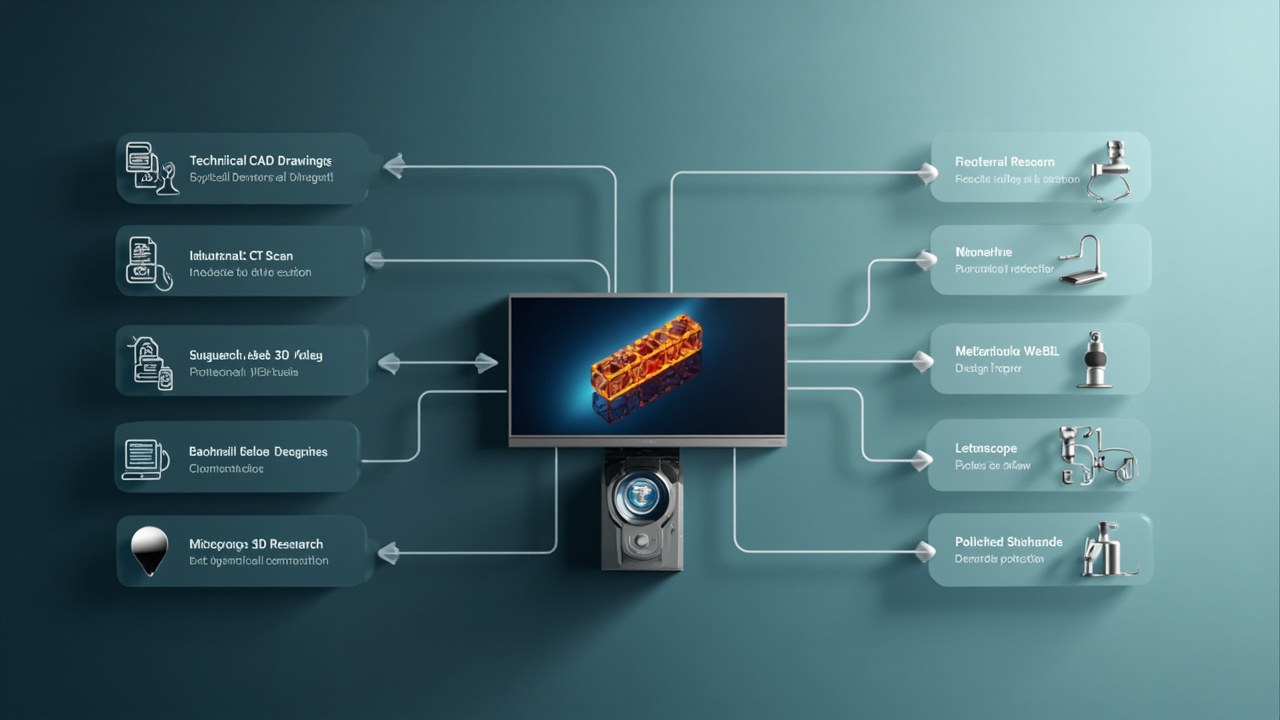
Workflow diagram showing how stereo-ready content moves from CAD, DICOM, and CT sources into a glasses-free 3D review session

A glasses-free 3D workflow begins with stereo-ready source content and ends at a shared, monitor-based review session.

Next steps with 3DV

Teams evaluating glasses-free 3D for a specific workflow can:

  1. Review the Spatial Display product page for the current model lineup and positioning.
  2. Check source content against the Compatibility Path Checker to confirm stereo readiness.
  3. Use the display selector to compare Pro and Essential fits.
  4. Reach out through ask before ordering for a pre-purchase technical review.

Glasses-free 3D is a defined, professionally deployed technology category. The right answer to “which 3D does not require glasses” depends on whether your content, viewing context, and workflow depth requirements align with autostereoscopic architecture.

Talk to sales

Need help applying this to your project?

Leave your name, company, and business email. 3DV sales will route you to the right product or workflow discussion.

Required: name, company, and business email. Everything else can wait until the sales reply.

We use this information only to respond to your inquiry.