
How to Choose Between Pro and Essential Spatial Display Series
The fastest way to choose between 3DV Pro and Essential Spatial Display Series is to ask how the screen will be used when it is not showing 3D.
Choose Pro Series if the display needs to serve as a main monitor for daily 2D work and glasses-free 3D review. Choose Essential Series if the display is mainly a dedicated 3D spatial screen, extension monitor, demo display, or monitoring screen beside an existing workstation.
Both series are designed for glasses-free 3D. The difference is not “Pro has 3D and Essential does not.” The decision is mainly about 2D quality expectations, daily monitor role, optical grating design, and budget.
What Both Series Share
Both Pro and Essential support 3DV’s glasses-free spatial display workflow. Both are intended for supported 3D content, professional review, and 2D/3D switching. Both should be evaluated with the team’s actual content path rather than only sample videos.
For content fit, start with What Content Works With a 3D Spatial Display?. If you are still choosing a model, use the 3DV Display Selector.
The Main Difference Is Daily 2D Use
Pro is the better fit when the display will be a main screen. If users will read text, operate software, review documents, present slides, annotate material, or use the monitor for normal work between 3D sessions, Pro is usually the safer choice.
Essential is more focused on the 3D viewing role. It can support practical 2D operation, but it is better suited to occasional 2D use, monitoring, demos, and secondary-screen workflows.
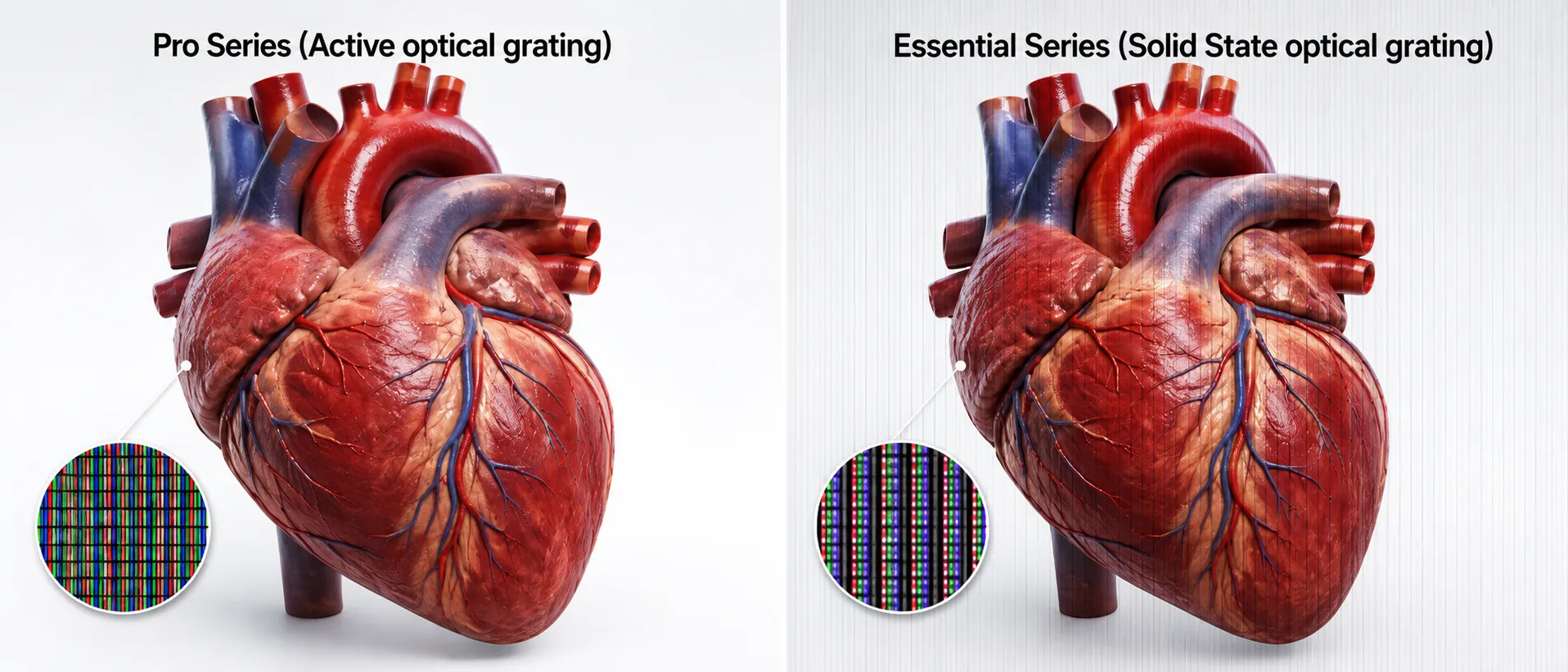
Optical Grating Difference
Pro uses active optical grating, which is the more balanced choice for mixed 2D and 3D use.
Essential uses solid-state optical grating, which is simpler, more cost-effective, and focused on the core 3D viewing need.
The practical implication is straightforward: if everyday 2D clarity matters, lean Pro. If the display is mainly there for 3D spatial review or presentation, Essential can be the more efficient option.
Workflow-Based Decision Table
| Situation | Better starting point | Why |
|---|---|---|
| One screen for software operation and 3D review | Pro Series | Stronger fit for mixed 2D/3D daily use |
| Existing main monitor plus a spatial review screen | Essential Series | More focused and cost-effective for dedicated 3D use |
| Design review station with frequent documents and UI work | Pro Series | Users spend significant time in 2D |
| Showroom, demo wall, or controlled playback | Essential Series | The screen’s main job is 3D presentation |
| Medical or industrial review with mixed reports and spatial content | Pro Series if it is the main workstation; Essential if it is a secondary 3D screen | Role matters more than industry label |
Questions to Ask Before Buying
- Will this be the user’s main monitor?
- How much time will the team spend reading text or using software in 2D?
- Is the display a review station, demo display, classroom screen, or extension monitor?
- What source device and content path will be used?
- Does the workflow require fast 2D/3D switching?
- Is budget better spent on main-screen 2D quality or on a dedicated 3D extension?
Buying Paths
If you already know the series:
If you are not sure, use the Display Selector or send the content path through Ask Before Ordering. For content uncertainty, start with the compatibility checker.
Bottom Line
Buy Pro when the screen needs to do everything: normal monitor work plus glasses-free 3D review. Buy Essential when the screen is mainly there to add a dedicated spatial 3D view to an existing setup.
The right choice is not only a model comparison. It is a workflow decision.